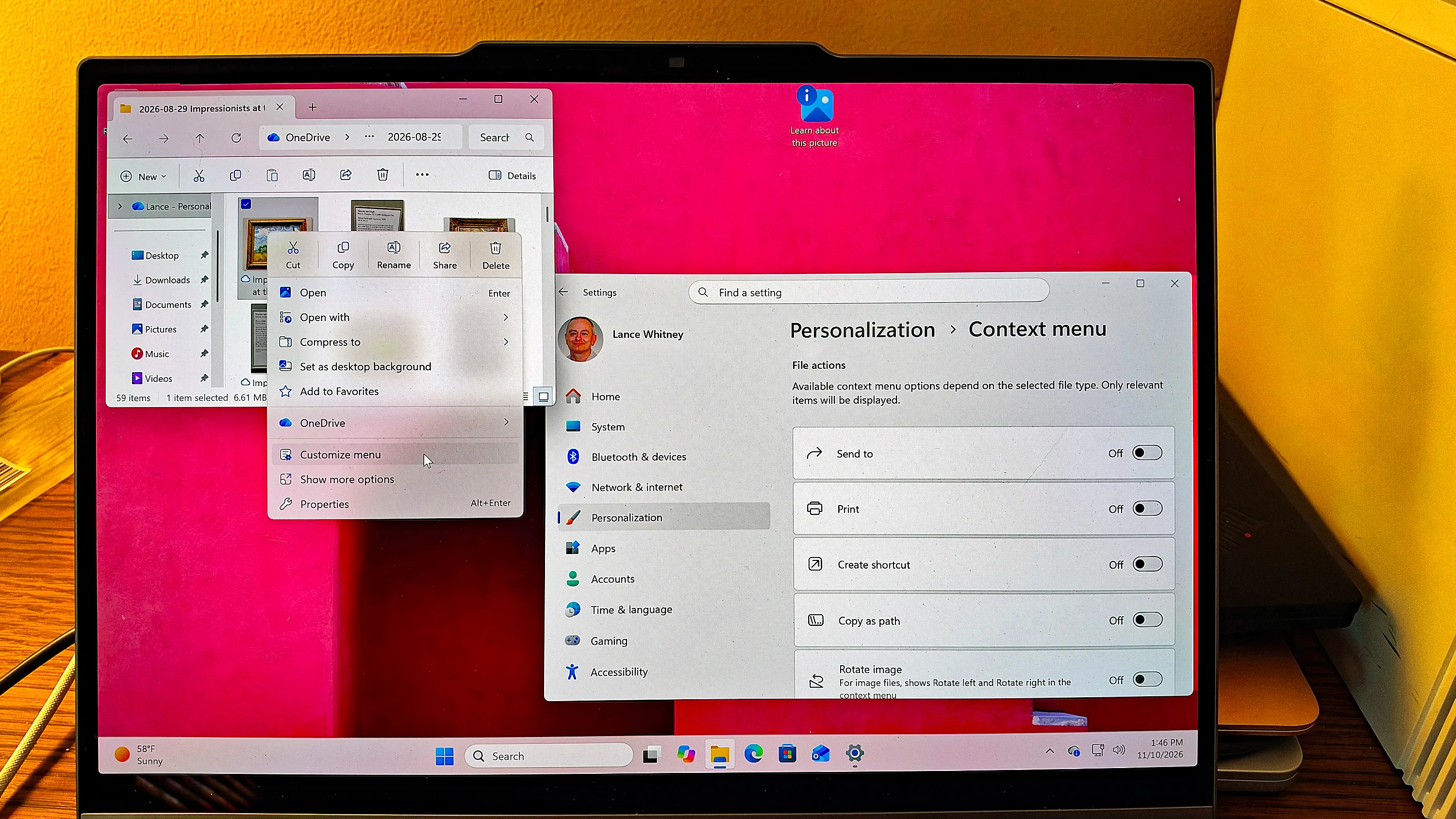
Microsoft's November Patch Tuesday update for Windows 11 lets users customize the File Explorer right-click menu, according to ZDNET. The update, labeled "2026-11 Security Update (KB5132061) (26300.9974)," adds and removes commands and apps so that only chosen items appear.
The update is mandatory and should install automatically. Users can check under Settings, then Windows Update. A pending restart means the computer needs a reboot.
The customizable menu is rolling out gradually, so some users may not see it yet. Users who have it will see a "Customize menu" entry when they right-click a file or folder. They can also open Settings, select Personalization, and then choose Context menu. There, they can turn file actions such as Send to, Print and Copy as path on or off, and choose which apps appear in the main menu or a submenu.
The update also adds Cloud rebuild, a recovery option that reinstalls Windows 11 using cloud-based system images and drivers from Windows Update. Users who run it will lose their files, so ZDNET advises regular backups. It is also rolling out gradually.
ZDNET reports that the update fixes 1,094 security vulnerabilities, 63 of them rated critical. One flaw is already exploited in the wild. It is a spoofing vulnerability in Microsoft Outlook. A remote attacker who sends a malicious email and persuades the user to open it could cause Outlook to connect to a network the attacker controls, without any warning. The exploit might also reveal the user's username and password to the sender, according to the report.
ZDNET says Microsoft's monthly updates fully support Windows 11 26H2 and 25H2. Support for 24H2 ended last month for Home and Pro editions. Home and Pro users are advised to upgrade to 26H2.